
Top BIM MEPF Software Every Beginner Should Learn

BIM has changed the way building services are designed, coordinated and delivered. For professionals working with Mechanical, Electrical, Plumbing and Firefighting (MEPF) systems, BIM software helps create coordinated models, identify potential issues and improve project documentation.
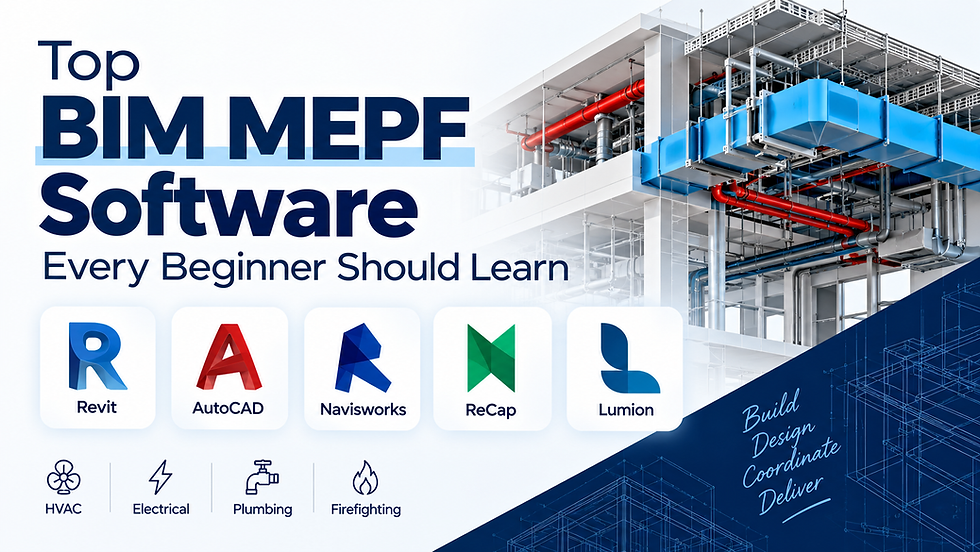
For beginners planning to build a career in MEPF BIM, understanding the right software is an important first step. Rather than trying to learn every tool available, it is better to focus on software that supports your chosen role and BIM workflow.
1. Autodesk Revit
Revit is one of the key software tools for BIM-based MEPF modelling.
It allows professionals to create coordinated 3D models of building services such as:
HVAC systems
Electrical systems
Plumbing systems
Firefighting systems
Equipment and fixtures
Pipes, ducts and cable trays
For beginners, learning Revit can provide a foundation for understanding how MEPF systems are modelled and documented within a BIM environment.
2. AutoCAD
Although BIM workflows have become increasingly important, AutoCAD remains useful for understanding and working with 2D drawings.
Beginners can use AutoCAD to develop skills in:
2D drafting
Reading technical drawings
Layouts and annotations
MEPF plans
Basic documentation
Understanding AutoCAD can also make it easier to interpret existing drawings when working on BIM projects.
3. Navisworks
Navisworks is particularly useful for BIM coordination and project review.
MEPF professionals can use it to bring different discipline models together and identify potential clashes between systems.
For example, an HVAC duct may conflict with a structural beam or an electrical service. Coordination tools can help teams identify such issues before they become problems during construction.
Beginners should understand basic workflows such as:
Model coordination
Clash detection
Model review
Coordination viewpoints
Project navigation
4. Autodesk ReCap
ReCap is useful when working with reality-capture data and Scan to BIM workflows.
Laser scanning can produce point-cloud data representing an existing building or structure. ReCap can help process and manage this data before it is used in downstream BIM workflows.
For MEPF professionals, this can be particularly relevant when documenting or modelling existing buildings.
5. Lumion
While Lumion is not primarily an MEPF modelling tool, it can be useful for visualisation and presentation.
It can help transform design models into more visually understandable presentations, allowing clients and project teams to better understand the proposed environment.
For beginners, learning basic visualisation workflows can be useful when their role involves presentations or design communication.
Which Software Should Beginners Learn First?
You don't necessarily need to master all these tools at the same time.
A practical learning sequence could be:
AutoCAD → Revit → Navisworks → ReCap → Lumion
Start with drafting and drawing fundamentals, then move into MEPF BIM modelling, coordination and specialised workflows.
The exact software combination will depend on whether you want to specialise in HVAC, electrical, plumbing, firefighting, BIM coordination or another area of MEPF.
3 Common Questions About BIM MEPF Software
1. Is Revit important for MEPF BIM?
Yes. Revit is widely used for BIM-based building services modelling and documentation, making it an important tool for learners interested in MEPF BIM.
2. Should beginners learn AutoCAD before Revit?
It can be useful to understand basic drafting and drawing concepts before moving into BIM modelling. However, learners can also start Revit directly with structured training.
3. Do I need to learn every BIM software?
No. Focus on the tools that are relevant to your career specialisation. Developing strong practical skills in a few relevant tools is generally more useful than having only basic knowledge of many applications.
Why Practical BIM MEPF Training Matters
Learning software commands alone does not necessarily prepare you for professional BIM work. Practical training should help you understand how different tools fit into an actual project workflow.
Project-based learning can help you practise:
MEPF modelling
Drawing documentation
BIM coordination
Clash detection
Model review
Project workflows
Building practical projects can also help you develop a portfolio that demonstrates your skills to potential employers.
Start Your BIM MEPF Journey with VDEI
At VDEI Academy, BIM MEPF training focuses on practical learning and industry-oriented workflows. Learners can develop skills related to MEPF modelling, coordination, project work and career preparation.
Whether you are a fresher, engineering graduate or working professional, learning the right BIM software can help you build a stronger foundation for a career in MEPF and the wider AEC industry.
Start learning BIM MEPF and build the practical skills needed for your next career opportunity.
Email: support@vdei.in
Phone Number: +91 82972 19074


Comments